



MAXIMIZE YOUR REFUND. REMARKABLE RESULTS.
Professional Tax Preparation.
Wherever You Are.

Professional Services
*
Professional Services *


Get in Touch
*
Get in Touch *
REMARKABLE TAX SERVICES
Your tax season, made simpler.
Personalized virtual tax preparation for individuals, families, self-employed clients, and small businesses. We help you organize your information, review your return, and understand your next steps.
Your next step starts here.
New to Remarkable or returning for another year? Choose the option that fits where you are today.
Ready to file?
Start your return from your phone with our TaxesToGo app. Follow the prompts and connect with your preparer.
Start Your Tax ReturnNew to Remarkable?
Request services before beginning your return. Our team normally follows up within 24–48 hours.
Request Tax ServicesReturning client?
Upload documents through our designated TaxesToGo process and confirm receipt with your preparer.
Upload DocumentsWhy choose Remarkable?
Your preparer. Your connection. Choose a member of our team and know who is helping with your return.
Virtual filing that fits your day. Get started from your phone and use our designated document upload process.
Careful review at every step. Your return moves through tax preparer review and compliance review before e-filing, with your required authorizations.
Meet Your Tax Preparation TeamClient feedback about Tiffany
Feedback from Tiffany’s clients at a previous tax practice. These Google reviews predate Remarkable Tax Services.
“Tiffany Ross made filing taxes so easy.”
Google review excerpt · Previous practice
“She was very helpful and professional.”
Google review excerpt · Previous practice
“Tiffany was very helpful and concise”
Google review excerpt · Previous practice
Indy highlighted Tiffany’s efficient preparation, attention to detail, and regular progress updates throughout the filing process.
Google review summary · Previous practice
Montrelle appreciated Tiffany’s patient guidance through the process and was pleased with the result.
Google review summary · Previous practice
Get to know Remarkable
Watch our short introductions, then choose your preparer or start your return online.
Get Remarkable with us
Watch our short Remarkable Tax Services promotional spot.
Meet Tiffany Ross, CEO & ERO
Meet the leadership behind your Remarkable tax experience.
Request tax services
Have questions before starting your return? Complete our Application Request Form. Submitting this form is a request for service. Our team normally follows up within 24–48 hours. If the form is unavailable, call 281-247-0532 to request service. Please keep sensitive tax information out of general contact messages.
FILE FROM YOUR PHONE
Download Our TaxesToGo Mobile App
Get started with Remarkable Tax Services from your phone. Use our TaxesToGo app link to download the app, photograph your tax documents, and upload them for our team to review.
Download TaxesToGo / Upload Documents
- Open our app link and follow the download instructions.
- Create or sign in to your TaxesToGo account and follow the prompts to upload your documents.
- Complete our client intake form, select your tax preparer, and confirm your submission with your preparer.
Choose your preparer and complete intake
Send sensitive tax documents through the designated app upload process. Do not send Social Security numbers or banking information through general contact forms or email.
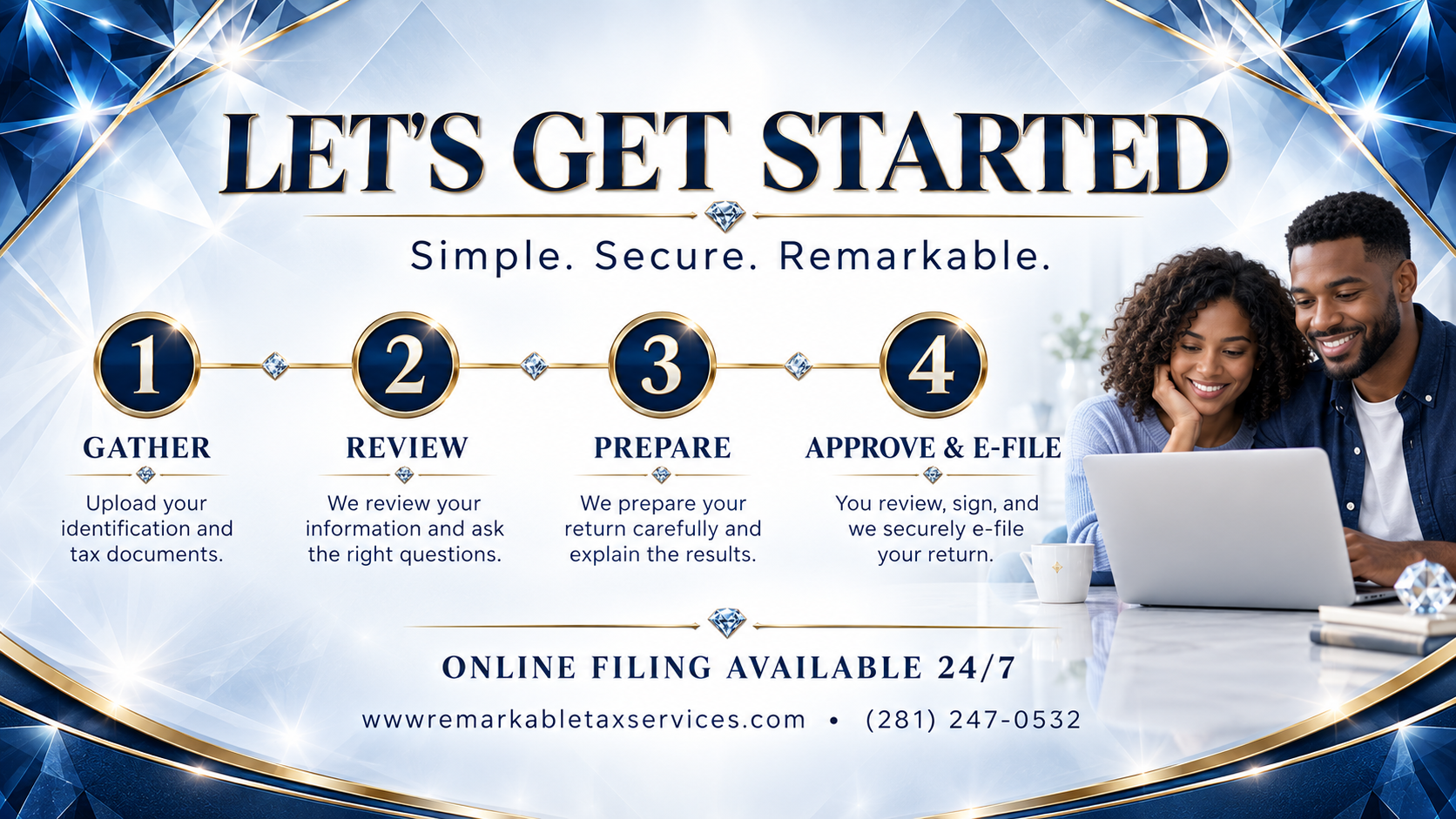
How it works
- 1 · STARTChoose your preparer and complete intake.
- 2 · UPLOAD DOCUMENTSUse our TaxesToGo app link.
- 3 · TAX PREPARER REVIEWYour preparer reviews your information and follows up on missing items.
- 4 · COMPLIANCE REVIEWOur compliance team reviews the return before filing.
- 5 · E-FILEReview your return and complete required authorizations before submission.
- 6 · TRACK YOUR REFUNDAfter filing, use the IRS refund-status tool.
What to have ready
- Government-issued photo identification and Social Security or ITIN information for everyone on the return.
- Income documents, including W-2s, 1099s, and any other income records that apply.
- Dependent information and relevant childcare, education, and household records.
- Self-employment income, expense records, and mileage logs, if applicable.
- Your prior-year return and any IRS or state tax notices.
- Applicable health coverage, retirement, deduction, and estimated payment records.
- Bank routing and account details if requesting direct deposit.
Your preparer may request additional documents based on your situation. Send sensitive tax documents through the designated upload process rather than the general contact form.
Frequently asked questions
Can I file without visiting an office?
Yes. Start online, select your preparer, and follow the intake and document upload steps. Your preparer will guide you through review and signing.
How much does tax preparation cost?
Fees depend on the forms and complexity of your return. Contact your preparer for a quote and confirm the fee before proceeding.
How long will preparation take?
Timing depends on complete documents, the complexity of your return, and any follow-up questions. Your preparer can provide an estimate after reviewing your information. Preparation time and IRS refund processing time are separate.
How do I upload my documents?
Use any Upload Documents button on this page to open our TaxesToGo app link. Follow the app instructions and confirm with your preparer that your documents were received.
Can you help with prior-year or amended returns?
Contact our team to discuss the tax year, documents, and assistance needed. Your preparer will review your situation and explain the next steps.
What documents do I need?
Use the checklist above as your starting point. Your preparer may request additional documents for your situation.
Can I choose my tax preparer?
Yes. Visit our Team page and use your preparer's intake button.
Do you prepare self-employed / 1099 returns?
Yes. Gather your income, business expenses, mileage records, and any estimated tax payments. Your preparer will review which records apply.
How do I check my refund status?
Use IRS Where's My Refund? for federal refund updates. Preparation, e-file acceptance, and refund processing are separate steps; refund timing is not guaranteed.
How will Remarkable Tax Services contact me?
Our team will follow up using the contact information you provide. You can call 281-247-0532 to confirm next steps. Never send sensitive tax records through ordinary email or a general website contact field.
Refund Advantage options
Remarkable Tax Services uses Refund Advantage for applicable bank products. Eligibility, approval, advance amounts, fees, and timing depend on the applicable product terms and individual circumstances. An advance or specific refund amount is not guaranteed. Ask your preparer about current options and disclosures before applying.
Protecting your information
Protecting client information is important to us. Existing clients should upload tax documents through our designated TaxesToGo process and confirm receipt with their preparer. Do not send Social Security numbers, bank information, or tax documents through ordinary email or general website contact fields. Call our team if you need help identifying the approved upload method.